
Phone Number Location Tracker: What Actually Works Free [2026]
ALL TOPICS
- Phone Location Tracker
- Mobile Tracker Apps
- Mobile Tracker Tips

Sep 23, 2026 Filed to: Mobile Tracker Proven solutions
Can you type in a phone number and get its live location for free? Sometimes yes, sometimes no — it depends what you actually need. A phone number tracker or reverse lookup can often show you caller ID, carrier, line type, or the region where a number was issued. But an exact, real-time GPS position normally only comes from the device itself — through GPS, Wi-Fi, or an account-based location service — with the right permissions or a sharing relationship in place. This guide reviews the phone number trackers people actually use, what each one really shows, and the free methods that do return a live location.

Phone Number Location Tracker Guide

Quick Answer: Can a Phone Number Tracker Show a Live Location?
It depends on the tool. A reverse phone lookup (Truecaller, NumberGuru) is built to identify a caller — it can return carrier, line type, or the region a number was issued in, but not a live GPS position. Some sites (like YoTracker) advertise number-based location tracking, though we could not independently verify a live-GPS result from a number alone. A true live location — the kind you'd want to find a family member or a lost phone — comes from the device itself: GPS, Wi-Fi, or an account-based service like Apple Find My or Google's location sharing, used with permission.
Last checked: September 22, 2026, against the public pages of Truecaller, NumberGuru, YoTracker, Apple, Google, and FamiSafe. Where a provider's live-location claim couldn't be independently verified, we say so instead of presenting it as fact.
Part 1: Phone Number Location Tracker Websites — What They Can Actually Show You
People search for a phone number location tracker for different reasons: identifying an unknown caller, checking where a number was issued, finding a lost device, or locating a family member. Below are the most-used free websites for this, with what each one genuinely delivers.
1. Truecaller
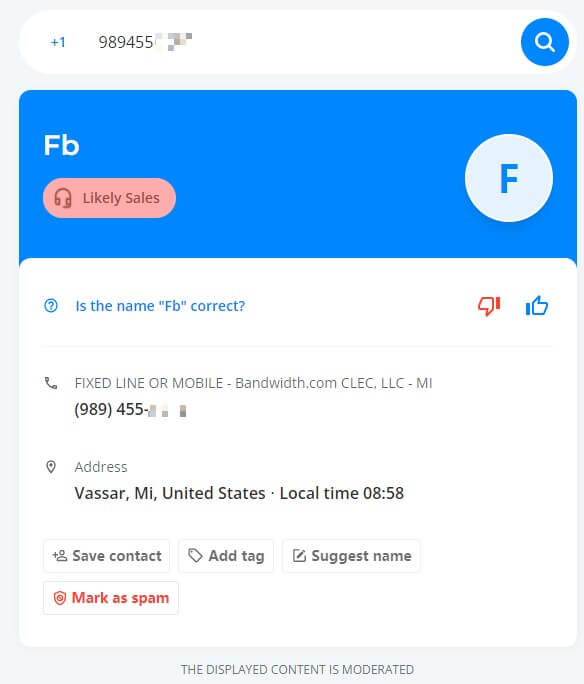
Truecaller is one of the most widely used free phone number trackers for identifying unknown callers, with a claimed database of hundreds of millions of numbers worldwide. Type in any number and, for public listings, you'll get caller ID and spam-risk info. One thing to know: Truecaller's own documentation says the "location" it shows is the region where the SIM is registered, not the phone's live GPS position — so use it to screen a number, not to pinpoint a device.
Features:
- Caller ID and reverse phone lookup
- Auto-blocks spam calls and SMS
- Community-based spam reporting
Hands-on Experience:
Totally free — no ads, no charges. Log in with your Google account and search any number; you'll usually get more detail if it's not a private listing. Android and iOS apps are also available.
2. NumberGuru – Free Phone Number Tracker
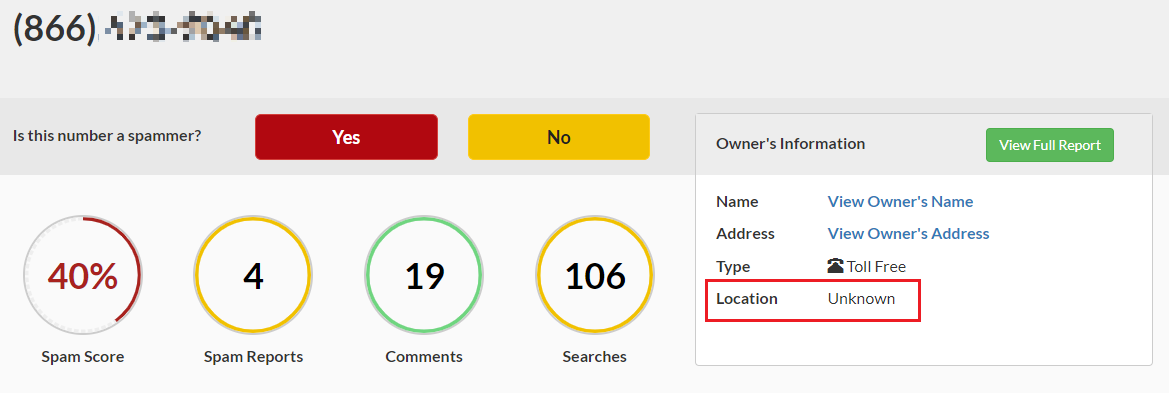
NumberGuru (FreePhoneTracer) is a solid free option for a basic reverse lookup on both landline and mobile numbers, and it's flagged secure by McAfee. Its free results can include carrier, line type, and the region a number was issued in — useful for figuring out who's calling. It's upfront that it doesn't return GPS coordinates or a device's current whereabouts, so treat any location shown as the number's origin, not a live position.
Features:
- Reverse lookup for landline and mobile numbers
- McAfee-secured site
- Simple, easy-to-use interface
- User comments on specific numbers
- Full reports may require payment
Hands-on Experience:
Free to search, no charge upfront. Results typically include carrier and issuing-location data; live device location isn't part of what it offers. Community comments can sometimes add useful context on a number.
More on this topic: 8 Best Mobile Location Tracker Apps · How to GPS Track a Phone in Minutes · 10 Phone Tracker Apps to Track a Location for Free
3. Yotracker
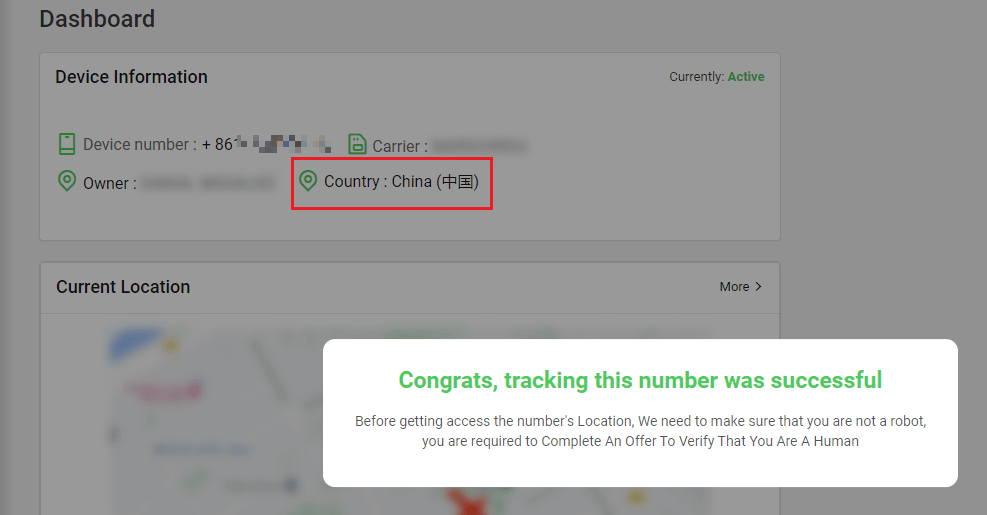
YoTracker advertises free number-based location tracking and is easy to use: pick a country, enter a number, and it runs through a tracking workflow. We could not independently verify that it returns a genuine live GPS fix from a number alone, so treat its results as the provider's own claim rather than a confirmed capability — and don't rely on it for anything urgent.
Features:
- User-friendly, no app download required
- Works across iOS, Android, Windows, and Blackberry
- Free to use, no sign-up required
Hands-on Experience:
No ads, no visible pricing plan. Some users are asked to complete a short offer or questionnaire before seeing a result — avoid entering personal or payment details if you're redirected off-site.
4. Online GPS Phone Tracker
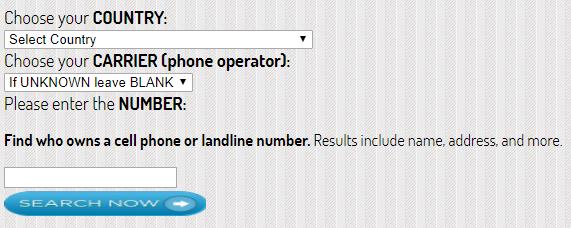
Online GPS Phone Tracker is a longer-standing free option that claims mobile and landline coverage with global reach. As with other free number-based trackers, we couldn't independently confirm live GPS accuracy from its current public page, so use it for basic number lookup rather than as a precise locator.
Features:
- Claims mobile and landline number tracking
- Claims global coverage
Hands-on Experience:
Typically asks you to complete a short survey before showing a result. As with any free tracker, skip surveys that ask for payment details or unrelated personal information.
Part 2: Phone Tracker Apps by Number — What They Actually Require
These are the apps people find when searching for a phone tracker by number. Some focus on caller ID like the sites above; others add real, live GPS tracking — but that part always requires the tracked person's device to install the app and accept a location-sharing connection, not just a number typed into a search box.
1. Truecaller App
The mobile app version of Truecaller for identifying unknown numbers on the go — caller ID, spam blocking, and reverse lookup. It's built for screening calls, not for live GPS tracking of a number you don't control.
Features:
- Available for iPhone and Android
- Caller ID and name/photo lookup
- Block feature for unwanted callers
2. Mobile Number Tracker Pro
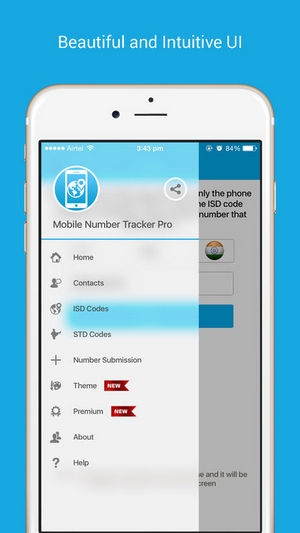
Combines a number database covering 200+ countries with opt-in real-time location sharing between connected users. The number lookup works instantly; the live-location part activates once both sides accept the sharing connection.
Features:
- Available for iPhone
- Number database from 200+ countries
- Notifies you when a shared contact's location updates
3. Mobile Number Locator
A caller-ID and number-lookup app for Android with a built-in global code database and an offline mode. It's handy for identifying who's calling; getting an arbitrary number's exact live position isn't something we could verify it does.
Features:
- Available for Android
- Automatic caller identification
- Global codes database
- Works offline
4. Phone Tracker By Number
Built specifically for parents and families: add family members by number, and once they install the app and accept the connection, you get GPS notifications and live location for the group. It's a consent-based family locator rather than a way to look up any number secretly.
Features:
- Available for Android
- Free for an unlimited number of family members
- Sends GPS proximity notifications
- Works with all mobile network operators
The practical takeaway: a phone number is the starting point for caller identification, and it's also how family-tracking apps connect people — but the live GPS part always comes from the device itself, once the tracked person has installed the app or enabled sharing.
Bonus: Free Ways to Get a Real, Live Phone Location
If what you actually need is a genuine live location — not just caller info — these free, built-in tools deliver it, as long as the other person has agreed to share:
Google Maps Location Sharing
Google Maps can show a person's real-time location once they choose to share it with you, including recent location and battery status. This is the better match if what you're really after is a live location tracker, because the location comes straight from the device with an explicit sharing relationship.
Apple Find My
Apple Find My locates your own Apple devices and shows another person's location once they share it with you. Family Sharing makes it easy to set this up for family members.
Google Find Hub
Find Hub locates Android devices and supports real-time sharing with friends or family — you'll see someone's location only once they've chosen to share it with you.
For an emergency, don't rely on an unverified number-tracking website — contact local emergency services or your carrier/platform support instead.
- Web Filter & SafeSearch
- Screen Time Limit & Schedule
- Location Tracking & Driving Report
- App Blocker & App Activity Tracker
- YouTube & TikTok History Monitor & App Blocker
- Social Media Texts & Porn Images Alerts
- Works on Mac, Windows, Android, iOS, Kindle Fire
Part 4: Use FamiSafe to Track Cell Phone Locations and Get Real-Time Alerts
For parents who need ongoing family location tracking rather than a one-off number lookup, FamiSafe is a parental control app built for exactly this — with a GPS tracking system that makes it easy to track a family member's device once they've been added.
Track Real-time Location
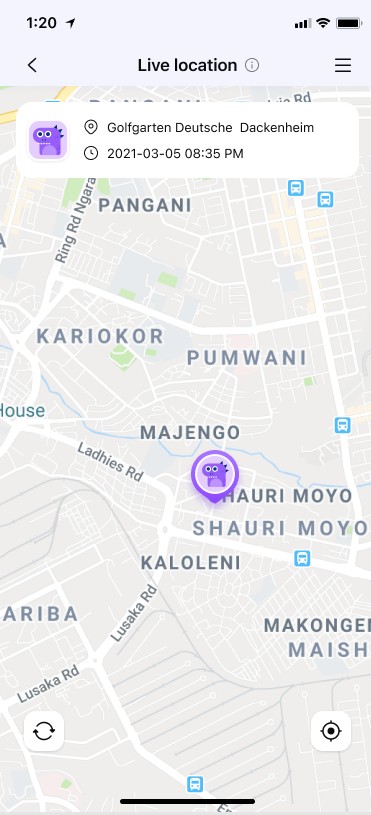
Each time you log in to your FamiSafe account, your child's real-time location and device battery level update automatically.
Check Location History
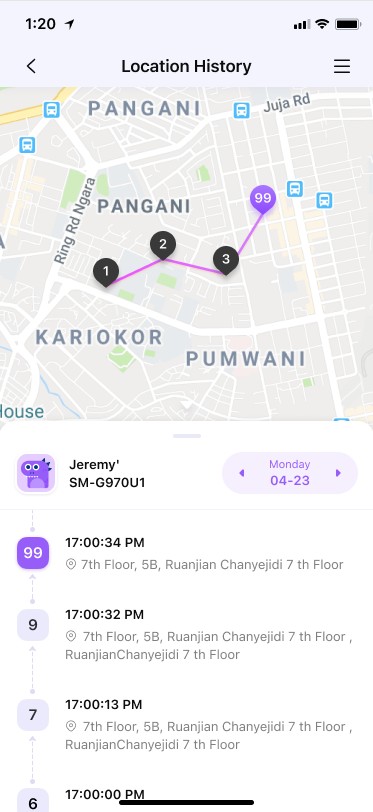
The Track Location feature also keeps a history of places visited over a given period.
Add Geofences
Set a geo-fence for specific places and get an instant alert when your child leaves the area — available for both iPhone and Android.
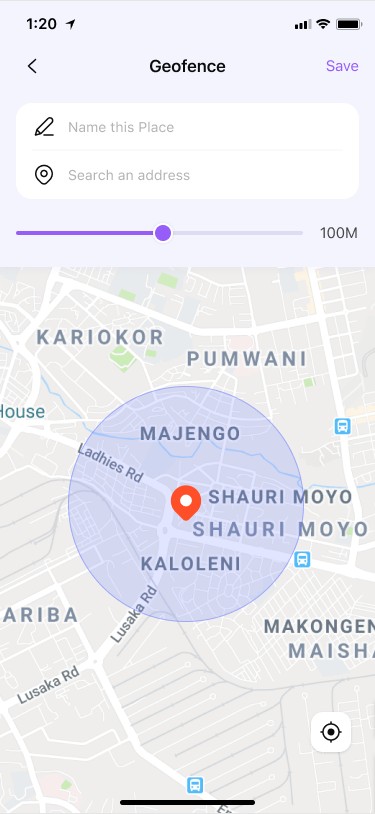
FamiSafe can also block distracting apps and set screen-time limits for bedtime. Try it with a 3-day free trial.
What Other Parents Say About FamiSafe?
"I feel so relaxed after checking my daughter's real time location whenever she is out on her own. Love the location tracker." --Hendrix Ceren, July 16, 2022.
"My daughter had started going to places that was not familiar and suitable for her age. I came to know about it when I randomly used the location tracker to check her live location." --Patrick Kyra, July 14, 2022.
"The fact that I can see my son's real time location 24/7 and how easily I can monitor and regulate his screen time is what makes me love this app." --Stewart Bhan, July 8, 2022.
What We Verified for This 2026 Update
- Truecaller: caller ID and reverse lookup confirmed; live GPS location not provided (location shown = SIM registration region).
- NumberGuru/FreePhoneTracer: reverse lookup confirmed (carrier, line type, issuing location); no GPS or current device location.
- YoTracker: advertises number-based location tracking; live-GPS accuracy not independently verifiable from the public page.
- Google Maps & Find Hub: real-time location sharing confirmed, controlled by the person sharing.
- Apple Find My: device finding and person-to-person sharing confirmed.
Conclusion
If your goal is to track a phone number location online for free, match the tool to the job: use Truecaller or NumberGuru to identify a caller, use Apple Find My or Google's location sharing for a lost phone or a family member who's agreed to share, and use a family-safety app like FamiSafe when you need ongoing, permission-based location tracking with history and geofence alerts. A phone number alone can tell you who's calling — a live position needs the device's participation.
Need a Live Location, Not Just a Number Lookup?
FamiSafe gives you real-time GPS tracking, location history, and geofence alerts for your family.
Try FamiSafe FreeFAQs
Q1: Can I track someone's location just by typing their phone number?
Usually not their exact live GPS position. A reverse phone lookup like Truecaller or NumberGuru can identify the caller, carrier, and issuing region for free, but getting a real-time location normally requires the device owner to share it via a tool like Google Maps, Apple Find My, or a family-tracking app.
Q2: What's the best free phone number tracker?
For identifying an unknown caller, Truecaller and NumberGuru are the most-used free options. For an actual live GPS location, Apple Find My, Google's location sharing, and FamiSafe are the tools that deliver it, since they work with the device rather than the number alone.
Q3: How do free mobile number location trackers actually work?
Most match the number against a public or crowd-sourced database to return caller ID, carrier, and the region where the number was issued. Sites that claim to show a live map location from a number alone should be treated carefully — ask what data source they're using before trusting a result.
Q4: Is there a phone tracker by number for families?
Yes — apps like Phone Tracker By Number, Mobile Number Tracker Pro, and FamiSafe are built for this, but they all require the family member's device to install the app and accept a sharing connection. None of them retrieve a location from a number alone without that step.
Q5: How can I find a family member's location for free?
Use a location-sharing feature the other person controls: Google Maps location sharing, Apple Find My (with Family Sharing), or a dedicated family locator app such as FamiSafe, which adds location history and geofence alerts on top of live GPS.
Q6: Why does a phone number tracker say "unknown" or fail to show a location?
If the number is private, unlisted, or not in the service's database, a reverse lookup can return limited or no information. This is normal for lookup-based trackers and isn't a sign that live GPS tracking briefly failed — that capability was never part of what a plain reverse lookup provides.
Thomas Jones
chief Editor