
A lot of parents today worry about how their children use AI tools online. Teens use AI tools like ChatGPT for multiple purposes, such as homework and learning new things. They might see or learn things that are not suitable for them without guidance. That's why using ChatGPT parental controls has become very important.
These controls help parents manage how their children interact with AI safely. This guide explains everything about setting up, using, and improving controls for families. It also introduces extra safety tools for better online protection.
In This Article
Part 1. What Are ChatGPT Parental Controls?
Parental controls on ChatGPT help parents manage how their teens use the AI safely online. These controls let parents link their accounts with their child's and adjust settings easily. They include tools for content filtering, usage limits, and alerts for sensitive activities or risks. Moreover, parents can restrict features such as voice chat, image generation, or conversation history.
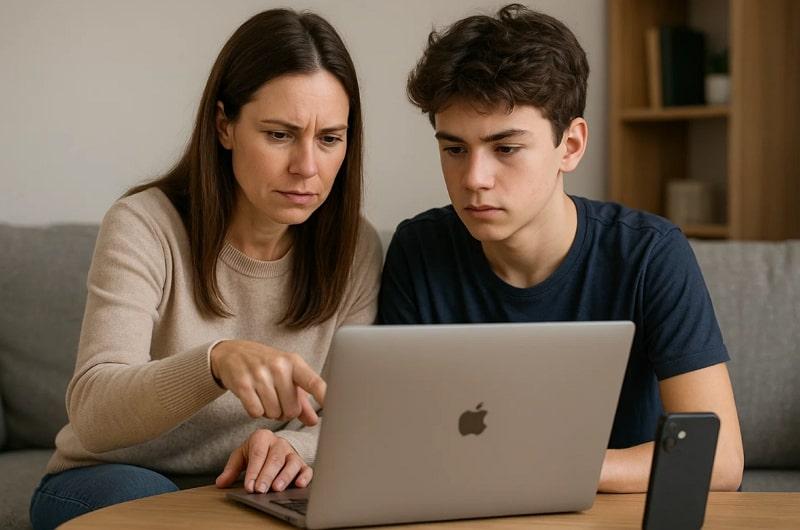
Quiet hours can also be set to limit app use during study or bedtime. The goal is to ensure AI interactions stay balanced and respectful. Parents can also manage memory saving and restrict model training for teen chats. Overall, these settings create a balanced and supervised AI experience for families.
Why ChatGPT Parental Controls Are Important?
- Safe Content: These controls block harmful or mature content before it reaches your child. They make sure every chat stays suitable for a child's understanding and maturity level.
- Screen Balance: Parents can set quiet hours to reduce screen use and improve rest. This helps children balance learning time and offline activities more effectively every day.
- Healthy Use: These tools teach children to use AI responsibly and respect online boundaries. They encourage positive habits and help kids focus on learning instead of misuse.
- Parental Insight: Parents get useful activity reports showing when and how ChatGPT is used. It helps them understand their child's behavior and guide safe online interactions.
- Privacy Safety: ChatGPT controls protect children's data and prevent unwanted information sharing. Parents can even monitor privacy settings to ensure no personal details are misused anywhere.
Manage Features in ChatGPT Parental Controls: What Parents Need to Know
Parents can control many features in the tool to ensure a secure experience. Hence, these flexible options help guide how teens interact with AI while maintaining their privacy:
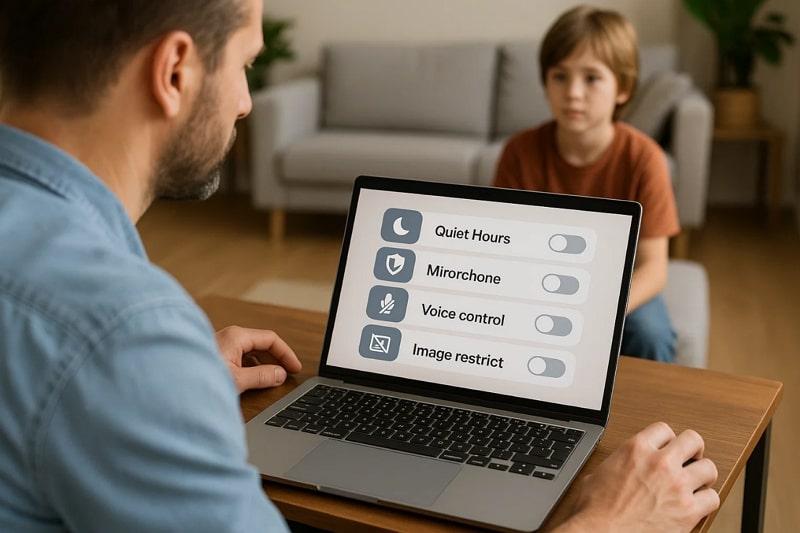
- Quiet Hours: Parents can set up a period when ChatGPT cannot be used during the day. This helps children study better and avoid late-night screen distractions easily.
- Content Filter: Native filters block violent or mature discussions automatically for teens. Parents can increase these safety limits, but cannot reduce their strict protective level.
- Voice Control: This mode can be turned off to limit talking directly with ChatGPT. It ensures text-only chats, which are safer and easier to monitor effortlessly.
- Memory Off: You can disable ChatGPT's memory to prevent saving previous teen chats. This keeps personal data safe and avoids sensitive content being stored anywhere.
- Image Restrict: Parents can block the option to create or edit pictures through ChatGPT. It avoids exposure to unsafe visual content and ensures privacy during AI use.
Part 2. How to Set Up ChatGPT Parental Controls
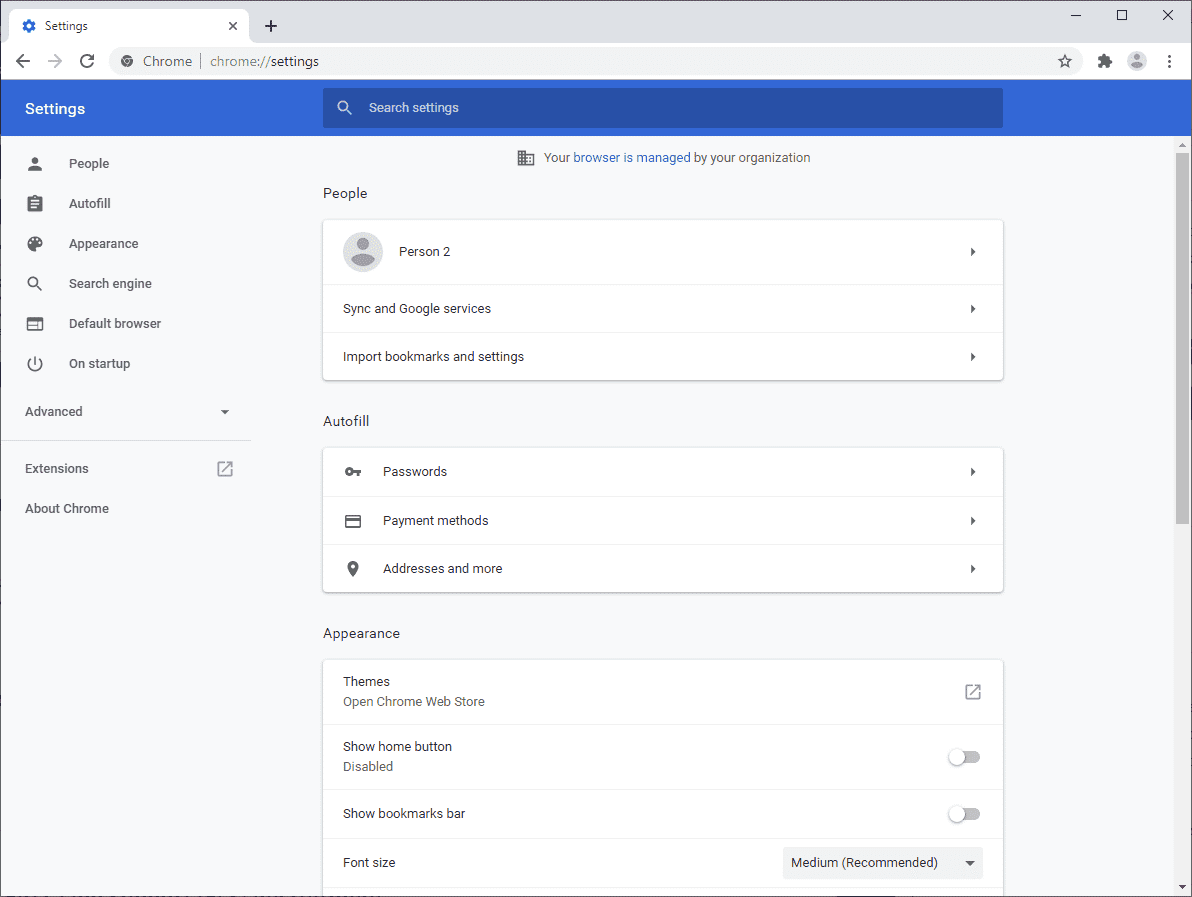
Many parents wonder, Does ChatGPT have parental controls that are easy to set up? It definitely offers helpful tools that support safety and guidance. Parents can link accounts to manage privacy and apply filters to control teen access easily. These controls also allow turning off risky features like voice or image creation. So, you need to go through the given guide to set up and apply parental control:
Step 1. Access Settings
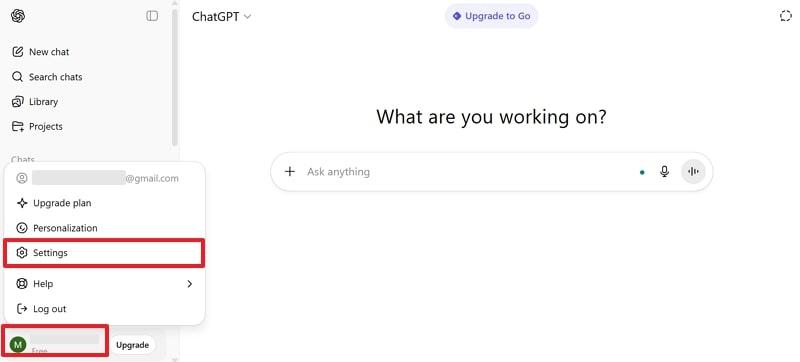
As you open ChatGPT on your device, tap the Profile icon and opt for the Settings option.
Step 2. Open Parental Controls
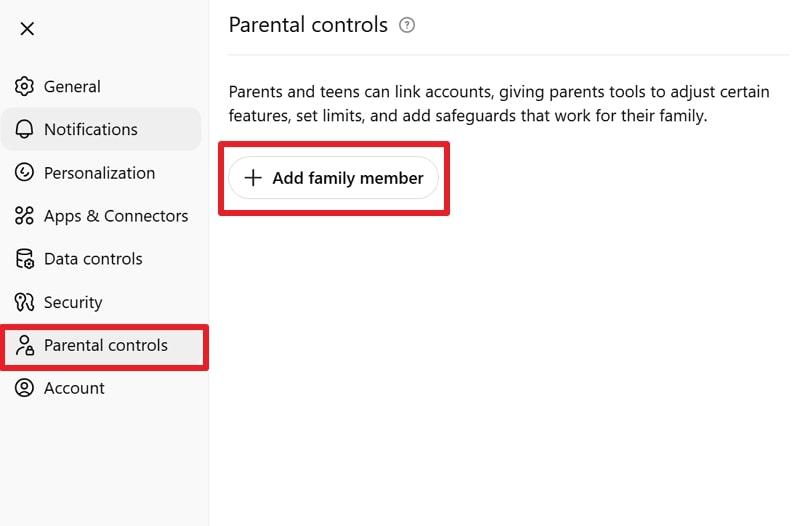
Upon seeing a prompt, head to the Parental Controls tab and press +Add Family Member.
Step 3. Add Child Email
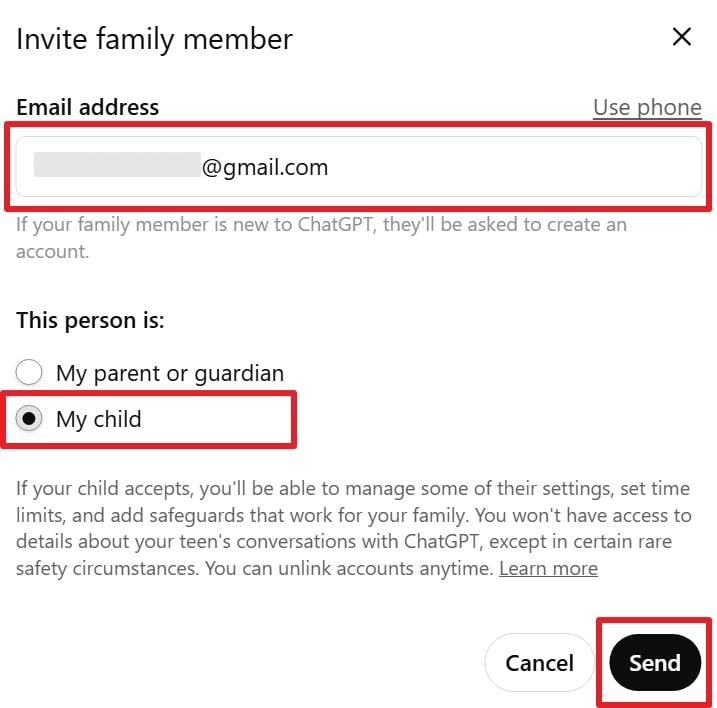
Subsequently, add your child's email address and click My Child, then Send.
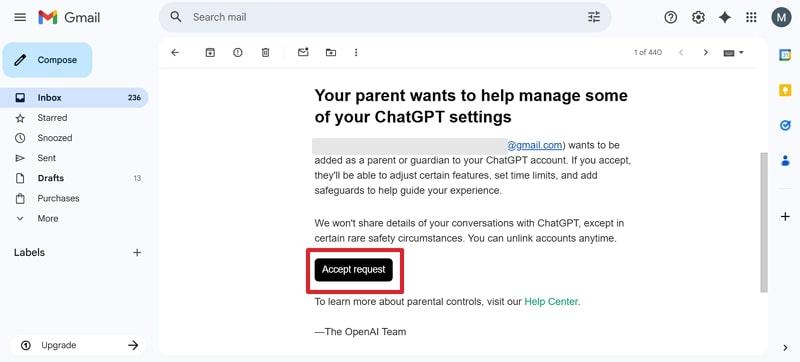
Step 4. Accept Request
Afterward, access the received email on your kid's device and hit the Accept Request button.
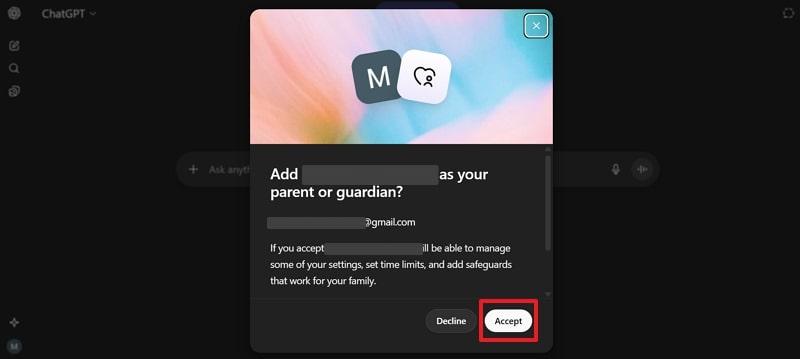
Step 5. Complete Setup
Following that, click the Accept button on your kid's device to set up control.
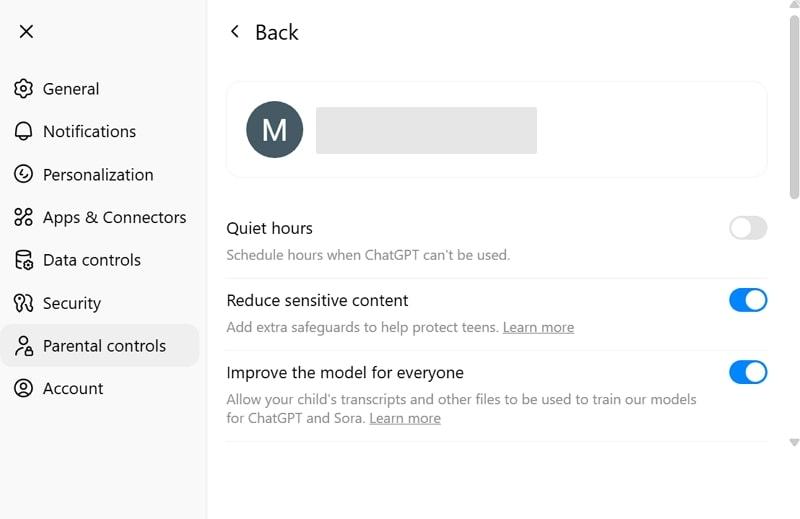
Step 6. Apply Controls
Later, access the newly added child profile on your device, and you will be able to apply parental controls.
Keep Kids Safe from AI Risks
FamiSafe helps you easily monitor and protect your child on ChatGPT and other apps.
Try FamiSafe FreePart 3. Limitations of ChatGPT Parental Controls
Even though tools have improved, ChatGPT parental controls still come with certain restrictions. This section covers limitations that help parents plan better and combine other methods:
- Easy Bypass: Teens can avoid restrictions by creating new accounts or using ChatGPT while logged out. This makes it difficult for parents to maintain complete control over online interactions.
- Limited Monitoring: Parents cannot review most chat histories unless severe safety alerts appear. It restricts visibility into conversations and limits early detection of potential issues.
- Weak Defaults: Some default settings may not prioritize child safety without manual adjustment. Parents must review and update them to avoid unwanted data sharing or exposure.
- Delayed Alerts: Safety warnings appear only when the AI detects serious or specific language signs. Milder concerns might be missed if they don't trigger preset detection thresholds.
- Shared Devices: When families share devices, controls may fail to separate adult and teen users. This overlap can expose children to harmful content through different user activity settings.
Part 4. Worried About Your Kids Using ChatGPT? FamiSafe Has You Covered!
Many parents set parental controls on ChatGPT, but still feel their kids need stronger safety measures. While these controls help manage AI use, they don't cover all online risks. Children also access multiple apps and websites where unsafe content might appear at any time. This is where FamiSafe becomes a great support tool for complete digital supervision and protection. It allows parents to track their child's online activities across multiple devices.
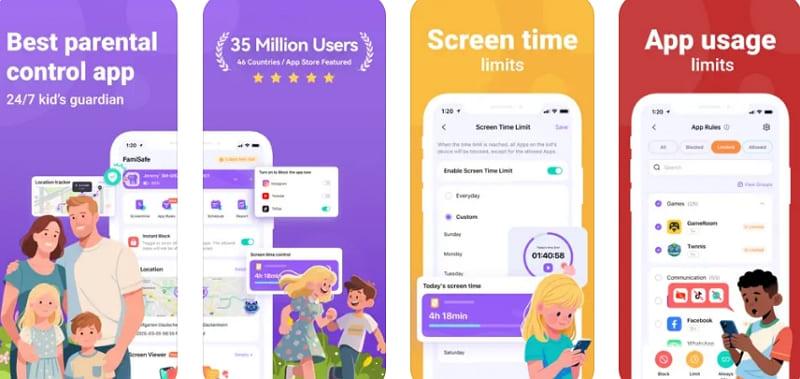
This dedicated app allows parents to see when and for how long kids engage with various AI tools. While monitoring, it sends instant alerts if suspicious content appears on any connected platform. Plus, you can block unsafe websites, social apps, or even mature searches with a single tap. Moreover, parents can set screen time limits to help kids be more responsible with technology.
Key Features
- Allows parents to schedule either study hours or bedtime routines.
- Provides detailed activity reports for better insight into overall device and app habits.
- Detects bullying or violent text using AI-based keyword scanning and message analysis.
- Monitors YouTube history and automatically filters unsafe channels or mature recommendations.
- Filtered out and blocked explicit video or image content before the kid can access it.
Conclusion
In conclusion, using ChatGPT parental controls helps parents guide children's online learning more safely. These settings help limit harmful content and promote responsible AI usage daily. However, they may not fully cover all digital activities or online risks. For complete protection, it's wise to pair these settings with FamiSafe. It also offers dedicated monitoring and controls to keep kids secure everywhere online.
Frequently Asked Questions
-
Q1. Can I set different restrictions for multiple children on ChatGPT?
You can definitely link multiple child accounts to your parent profile easily. Each account can have its own settings for content, features, and usage limits. Plus, this allows parents to manage each child's AI interactions according to age safely. -
Q2. Is there a way to fully monitor chat history in ChatGPT?
No, parents cannot access the complete conversation history except for urgent safety alerts. This protects privacy but limits direct supervision over all AI interactions at times. However, parents need to consistently combine other monitoring tools for more comprehensive oversight. -
Q3. Can I track social media or app activity alongside ChatGPT?
Yes, using apps like FamiSafe allows you to monitor multiple apps and social media. It provides reports, alerts, and screen-time management for complete digital supervision. Parents can even easily ensure children stay safe online across all platforms and devices.